
Joyagoo QC Photos: Request the View That Can Resolve Your Question
Start a Joyagoo QC check with your order details, not with a general impression of the image. Confirm model, selected size, colour, version and quantity. Then identify the question the photograph should answer.
Match the detail to the view
For a pair of shoes, inspect both items and relevant labels. For a garment, a useful measurement needs visible endpoints. For a personalised jersey, the requested name, number and their placement must be visible. Browse jerseys with those option details recorded before buying.
A top view can show the pair and toe areas, while a rear view helps compare the heels. Neither view measures interior length. A printed size system is information to compare with the order, not a guarantee of comfort.
Ask a precise follow-up
Instead of asking for “more QC,” explain which detail is missing and why it affects your decision. For example, request the reverse side containing the selected print or a garment measured from one stated point to another. Extra pictures without the required view may not resolve anything.
Joyagoo describes electronics checks as visual checks of appearance and fittings, not power-on testing. Do not infer functionality, authenticity or hidden material composition from an exterior photograph.
Use public references within their limits
The public gallery examples below illustrate visible inspection angles. They are not your order, a claimed personal purchase or proof that the linked Joyagoo product is the same item. Use the images attached to your received goods for the actual decision.
If a significant discrepancy appears, check return conditions promptly: eligible requests may have a five-day or 120-hour window after QC. Keep the issue out of a ready-to-send parcel plan until resolved.
Before sharing a picture for another opinion, remove personal account, name, address, order and tracking information. Share only the product detail needed to answer the question. The buying guide explains how QC connects the purchase with the later shipping decision.
Electronics and iPhone finds: ask what the image can show
An iPhone search may lead to a case, another accessory or a device. Identify what is actually included first. A case needs model compatibility checked; a device needs evidence of its condition and functions as well as an exterior view.
Joyagoo's electronics QC description covers visual inspection, not power-on testing. Appearance does not establish battery health, activation, connectivity or performance. Keep those unanswered questions separate from a visible-condition check.
For an item containing a battery, verify the eligible transport service and restrictions before buying. Keep protective packing where needed. The shipping guide helps organise that comparison but does not certify that every device can travel on every line.
Joyagoo quality: name the uncertainty before adding more photos
A visible defect, uncertain fit, material claim and functional concern are four different questions. A detailed seam photo may help with condition, and a measurement may help with fit. Neither establishes composition or how the item will perform after use.
Attach one clear question to the shortlisted or received item, then seek information capable of answering it. More photos of the same general angle may not help. For electronics, the published visual inspection does not include power-on tests. Keep this product-level decision separate from the service assessment in the review.
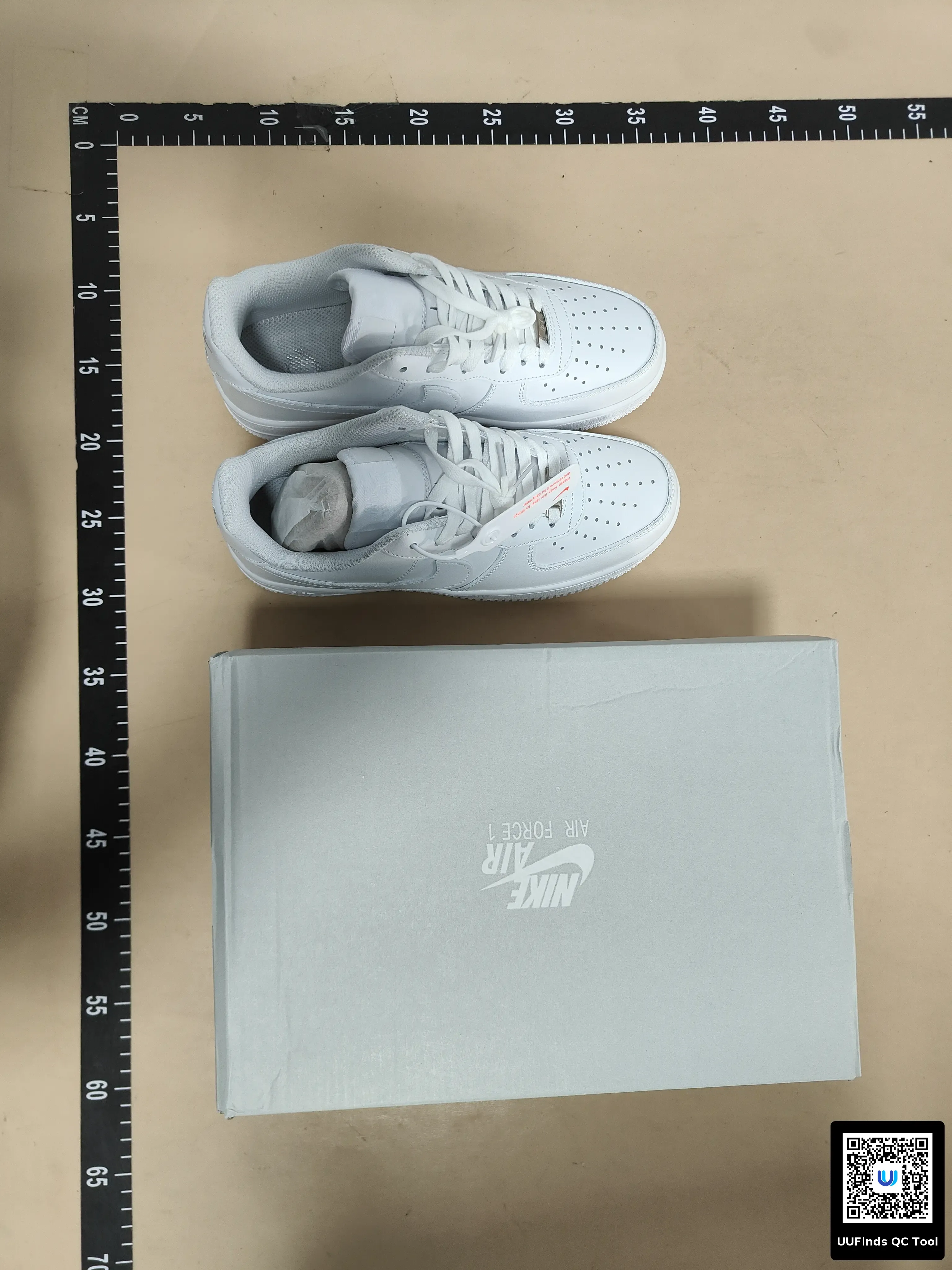
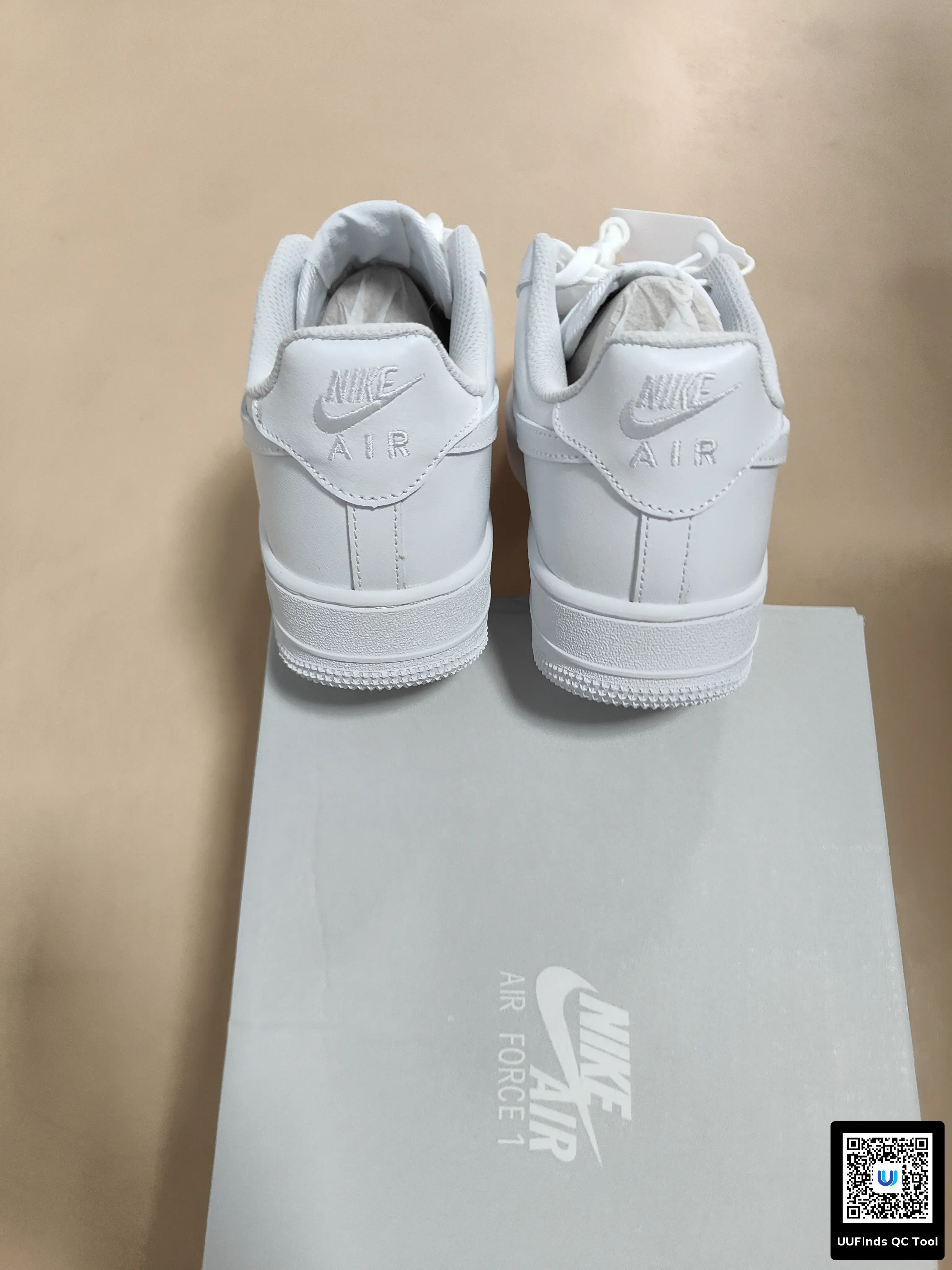
After warehouse receipt, compare the item with your saved configuration. A front view may show the design but not the requested reverse printing. Ask for the side containing the detail you need, with enough clarity to check spelling, number and placement.
The aim is to resolve a specific question, not collect photographs with no decision attached. Public QC of a similar design can illustrate an angle but cannot establish the state of your order. See QC guidance.